Tag: react

  • How to Configure Jest for TypeScript in React or NodeJS Projects

    How to Configure Jest for TypeScript in React or NodeJS Projects

    Setting up Jest for TypeScript testing in React and NodeJS can streamline your development workflow and ensure high-quality code. This guide provides an opinionated, step-by-step process for configuring Jest with TypeScript support, whether you’re working on new or existing projects.

    1. Install Jest and Its Friends (Dependencies)

    Start by installing the necessary Jest packages along with TypeScript support:

    # Using Yarn
    yarn add --dev jest ts-jest @types/jest
    
    # Or using npm
    npm install --save-dev jest ts-jest @types/jest
    • ts-jest: A TypeScript preprocessor that lets Jest handle .ts and .tsx (TypeScript files).
    • @types/jest: Provides type definitions for Jest in TypeScript.

    2. Configure Jest with the Preprocessor

    Generate a basic Jest configuration using ts-jest:

    npx ts-jest config:init

    This command generates a jest.config.js file with the following contents:

    module.exports = {
      preset: 'ts-jest',
      testEnvironment: 'node',
    };

    3. Customize Your Jest Configuration (Optional)

    For advanced setups, you can extend your configuration to include code coverage and improved testing workflows:

    module.exports = {
      roots: ['<rootDir>/src'],
      preset: 'ts-jest',
      testEnvironment: 'node',
      coverageDirectory: 'coverage',
      verbose: true,
      collectCoverage: true,
      coverageThreshold: {
        global: {
          branches: 90,
          functions: 95,
          lines: 95,
          statements: 90,
        },
      },
      collectCoverageFrom: ['**/*.{ts,tsx}'],
      coveragePathIgnorePatterns: ['/node_modules/'],
      coverageReporters: ['json', 'lcov', 'text', 'clover'],
    }; 

    This configuration adds:

    • Code coverage thresholds to ensure high-quality tests.
    • A custom coverage directory.
    • Inclusion of TypeScript, TSX, and JSX files.

    For more advanced configurations, check the official Jest documentation.

    4. Add Jest Test Scripts to package.json

    Add custom scripts for testing workflows in your package.json file:

    {
      "scripts": {
        "test": "jest --coverage",
        "test:watch": "jest --watchAll",
        "test:nocoverage": "jest --watchAll --no-coverage"
      }
    }

    These scripts provide:

    • test: Runs all tests with coverage reports.
    • test:watch: Watches for changes and re-runs tests automatically.
    • test:nocoverage: Faster test runs without generating coverage reports.

    Congratulations if you got this far. This is a one-off set-up; you would rip the benefits in days to come. Follow on to test your Jest configuration for testing your Typescript React or NodeJs project.

    5. Verify the Setup with a Simple Test

    Create a simple function and its corresponding test file to confirm everything is configured correctly.

    Function (sum.ts):

    const sum = (a: number, b: number): number => a + b;
    export default sum;

    Test (sum.test.ts):

    import sum from './sum';
    
    describe('Addition function', () => {
      test('adds 1 + 2 to equal 3', () => {
        expect(sum(1, 2)).toBe(3);
      });
    });

    Run the test:

    yarn test

    6. Advanced Testing Workflow with Coverage Reports

    After running your tests, generate coverage reports for better visibility into untested areas of your codebase.

    Commands

    yarn test               # Runs tests with coverage
    yarn test:watch         # Continuously watches and runs tests
    yarn test:watch:nocoverage  # Faster feedback without coverage
    yarn global add serve   # Install `serve` to view reports
    yarn view:coverage      # Open the coverage reports as a static site 

    Example Test Outputs

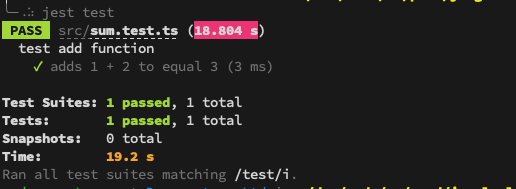
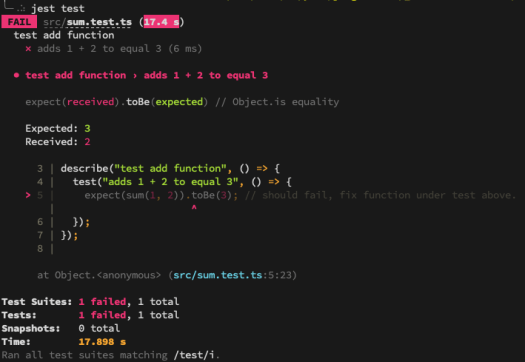
    When running yarn test, you may see:

    Failing Test Example:

    yarn test Example console output with failing test.

    Passing Test Example

    yarn test Example console output with passing test.

    Now, fix any failing tests, and re-run the commands until all tests pass successfully.

    Why This Setup is Worth It

    This one-time Jest configuration significantly speeds up your TypeScript testing workflow. With proper coverage thresholds, easy-to-run scripts, and a reliable test runner like Jest, you’ll save time while improving your project’s overall quality.

    If you would like additional guidance, please take a look at the official Jest configuration guide.

    Furthermore, you can configure your IDE to generate boilerplate code snippets using this guide: React Code Snippet Generators with IntelliJ Idea
  • Boosting React Development with IntelliJ IDEA Code Snippets

    Boosting React Development with IntelliJ IDEA Code Snippets

    If you’re a fan of automation (and who isn’t?), IntelliJ IDEA’s code snippets are a game-changer for React development. As a Java developer diving into React, I’ve found these snippets invaluable for reducing typos, boilerplate, and the dreaded RSI (Repetitive Strain Injury). This guide walks you through generating React components using IntelliJ IDEA’s live templates, saving you time and effort.

    How to Generate Snippets in IntelliJ IDEA

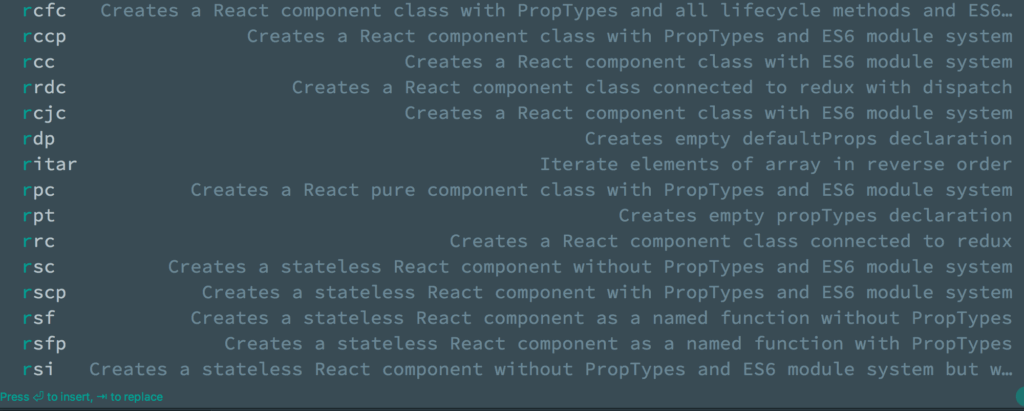
    Before we go any further here is how to generate code snippet in IntelliJ Idea

    •  Simply type abbreviation name of the required snippet in the editor in the target file and press 
    • You can further narow the list suggestions by IntelliJ Idea by typing more characters of your abbrevation.

    Example: shortcuts to create snippets on Intellij Idea on a Mac:

    React Code Snippets Generator IntelliJ Idea
    1. Type ​`​rccp` in your editor
    2. Then press  to generate.

    Note:

    • Component name would be taken from the file name, example “ManageCoursePage.js”
    • For those on Visual Studio Code IDE the Code generation for React can be achieved with the Typescript React Code Snippet Extention

    React Code Snippet Examples

    1. React Component Class with PropTypes

    Abbreviation: rcp
    Steps:

    1. Type rcp in the editor.
    2. Press Tab to generate the snippet.

    Generated Snippet:

    import React, { Component } from 'react';
    import PropTypes from 'prop-types';
    
    class ManageCoursePage extends Component {
      render() {
        return <div>{/* Your code here */}</div>;
      }
    }
    
    ManageCoursePage.propTypes = {};
    export default ManageCoursePage; 

    2. React Component Class with ES6 Module System

    Abbreviation: rcc
    Steps:

    1. Type rcc in the editor.
    2. Press Tab to generate the snippet.

    Generated Snippet:

     import React, { Component } from 'react';
    
    class ManageCoursePage extends Component {
      render() {
        return <div>{/* Your code here */}</div>;
      }
    }
    
    export default ManageCoursePage;

    3. React Component Class Connected to Redux with Dispatch

    Abbreviation: rdc
    Steps:

    1. Type rdc in the editor.
    2. Press Tab to generate the snippet.

    Generated Snippet:

    import React, { Component } from 'react';
    import { connect } from 'react-redux';
    
    function mapStateToProps(state) {
      return {};
    }
    
    function mapDispatchToProps(dispatch) {
      return {};
    }
    
    class ManageCoursePage extends Component {
      render() {
        return <div>{/* Your code here */}</div>;
      }
    }
    
    export default connect(mapStateToProps, mapDispatchToProps)(ManageCoursePage); 

    4. React Component Class with PropTypes and Lifecycle Methods

    Abbreviation: rcfc
    Steps:

    1. Type rcfc in the editor.
    2. Press Tab to generate the snippet.

    Generated Snippet:

    import React, { Component } from 'react';
    import PropTypes from 'prop-types';
    
    class ManageCoursePage extends Component {
      constructor(props) {
        super(props);
      }
    
      componentWillMount() {}
    
      componentDidMount() {}
    
      componentWillReceiveProps(nextProps) {}
    
      shouldComponentUpdate(nextProps, nextState) {
        return true;
      }
    
      componentWillUpdate(nextProps, nextState) {}
    
      componentDidUpdate(prevProps, prevState) {}
    
      componentWillUnmount() {}
    
      render() {
        return <div>{/* Your code here */}</div>;
      }
    }
    
    ManageCoursePage.propTypes = {};
    export default ManageCoursePage; 

    Customising IntelliJ Snippets

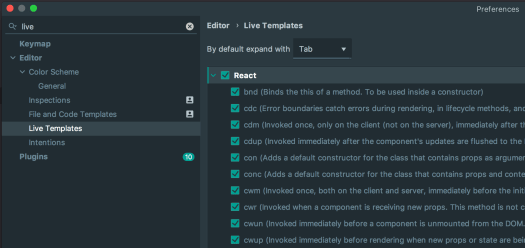
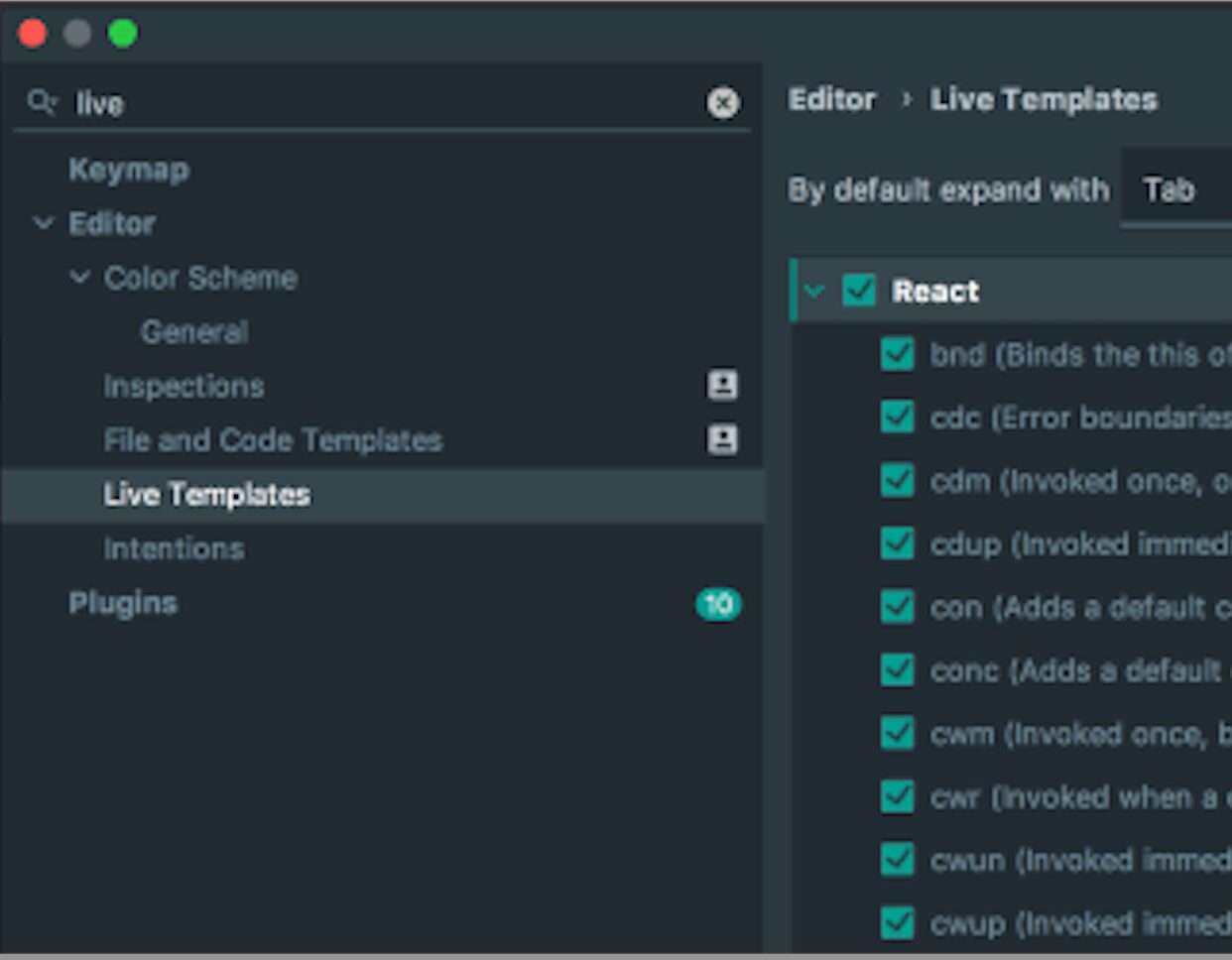
    React Code Snippets Generator IntelliJ Idea Manage
    IntelliJ idea live template view

    To create or modify snippets in IntelliJ IDEA:

    1. Open Preferences > Editor > Live Templates.
    2. Add new templates or tweak existing ones to match your development style.

    These templates can also be shared across teams to maintain consistency and reduce onboarding time.

    Congratulations! You’ve successfully set up Jest for TypeScript testing in React and NodeJS and integrated IntelliJ IDEA to 10x your workflow. Now! No excuses not to follow a test-driven approach (TDD) and automated testing, which will eventually lead to faster development and more confidence in shipping more frequently

    Conclusion

    IntelliJ IDEA snippets are a fantastic way to save time and reduce errors when working with React. Whether you’re generating PropTypes, lifecycle methods, or Redux-connected components, these templates make development faster and less repetitive. Explore IntelliJ’s live template feature to customise your workflow and share these snippets with your team for maximum efficiency.

    For more automation tips, check out IntelliJ IDEA’s documentation on live templates.

    For more resources