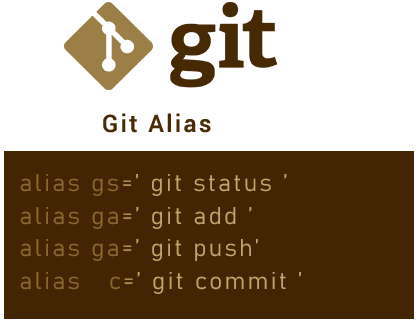
Git is an indispensable tool for developers, but typing repetitive commands can slow you down. With Git aliases, you can create short and intuitive commands to streamline your workflow.
Here’s how to configure your Git aliases for maximum efficiency.
Step 1: Edit Your .gitconfig File
Your .gitconfig file is typically located in your $HOME directory. Open it using your favorite editor:
vim ~/.gitconfigStep 2: Add Basic Git Configurations
Here’s an example of what your .gitconfig might look like:
[core]
    excludesfile = /Users/moses.mansaray/.gitignore_global
    autocrlf = input

[user]
    name = moses.mansaray
    email = moses.mansaray@domain.com

[push]
    default = simple
Step 3: Add Useful Git Aliases
Below are some handy Git aliases to boost your productivity:
[alias]
    # Shortcuts for common commands
    co = checkout
    cob = checkout -b
    cod = checkout develop
    ci = commit
    st = status

    # Save all changes with a single command
    save = "!git add -A && git commit -m"

    # Reset commands
    rhhard-1 = reset --hard HEAD~1
    rhhard-o = reset head --hard

    # View logs in various formats
    hist = log --pretty=format:\"%h %ad | %s%d [%an]\" --graph --date=short
    llf = log --pretty=format:\"%C(yellow)%h%C(red)%d%C(reset)%s%C(blue) [%cn]\" --decorate --numstat
    lld = log --pretty=format:\"%C(yellow)%h %ad%C(red)%d%C(reset)%s%C(blue) [%cn]\" --decorate --date=short

    # View file details
    type = cat-file -t
    dump = cat-file -p

    # Amend commits easily
    amend = commit -a --amend
Alias Highlights
- Branch Management:
co: Checkout an existing branch.cob: Create and switch to a new branch.cod: Switch to thedevelopbranch.
- Commit Management:
ci: Shortcut forgit commit.save: Adds all changes and commits with a single command.
- Reset Commands:
rhhard-1: Resets to the previous commit (HEAD~1).rhhard-o: Resets the current head completely.
- Log Views:
hist: Visualize commit history in a graph with formatted output.llfandlld: View logs with decorations and detailed information.
- File Details:
typeanddump: Inspect Git objects in detail.
- Quick Fixes:
amend: Quickly modify the most recent commit.
Step 4: Test Your Aliases
After saving your .gitconfig file, test your new aliases in the terminal:
git st    # Check status
git cob feature/new-feature  # Create and switch to a new branch
git hist  # View the commit history
Conclusion
With your aliases set, you now have a simple yet powerful way to save time and reduce errors in your Git workflow. Enjoy turning repetitive tasks into one-liners.
Do you have a favourite Git alias that isn’t on this list? Share it in the comments below!